Products ›Channel Strip
RA-CS1
The first plugin on any track. A modern channel strip.

RA-CS1 is a channel strip built for modern sessions, not a 1970s console emulation. Four stages in one fixed chain: Expander, 8-band parametric EQ, Compressor, Drive. The order is set and the choices were made, so you can focus on the settings and not the routing.
AUTO listens to 3 seconds of your audio, then suggests an input gain targeting -18 dBFS RMS with a -12 dBFS peak ceiling. Nothing changes until you apply it. MATCH measures input against output and suggests an Output Gain to match the original level, which keeps A/B comparison honest.
Everything is visible. EQ band nodes sit on a live spectrum, gain reduction moves in real time, and the transfer curves below show the Expander and Compressor processing as their knobs suggest. If the EQ were cramping, you would see it on the spectrum display.
It runs at 2x oversampling throughout and stays light. Put multiple instances on a session and watch the meter. Trial has no time limit, so test it for as long as you need.
Signal Chain
Input
The Input stage is minimal: a gain knob, a polarity inverter, and one AUTO button. Gain staging becomes a single press: play a representative section of the track, hit Auto, and it measures peak and RMS over 3 seconds. A confirmation panel shows you the readings and the suggested gain adjustment before anything is applied.
Expander
The downward expander sits at the front of the chain, cleaning up noise and bleed before any other processing touches the signal. Threshold, Ratio, Range, Attack and Release give you enough control to be surgical or transparent, whatever the source.

8-Band Parametric EQ
Eight fully parametric bands — from high-pass filtering to surgical cuts to broad shelving. Each band is a node on the spectrum chart: click to place it, drag to move it. Solo or mute any band to hear exactly what it's doing. High-pass and low-pass filters sweep from 12 to 48 dB/oct.
Compressor
The Feedforward compressor sits after the EQ, shaping the dynamics of a spectrally balanced signal. It's a VCA compressor, stereo-linked, with the familiar controls: Threshold, Ratio, Knee, Attack, Release. Gain reduction is shown in real time. A Mix knob blends the compressed signal with the dry signal for parallel compression — anywhere from full parallel to fully wet.

Drive & Saturation
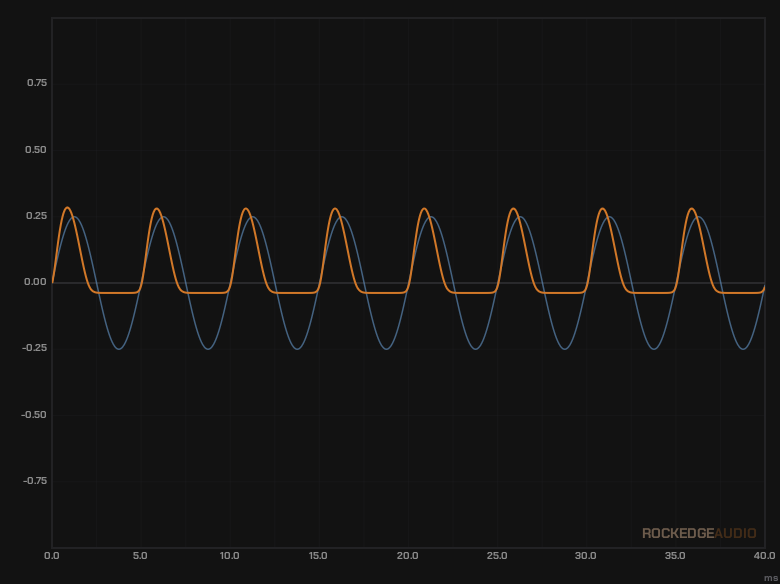
The cherry on the cake: a drive stage at the end of the chain adds harmonic colour once the dynamics are settled. Four saturation modes — TUBE, TAPE, JFET, BJT — dial in anything from subtle warmth to full-on aggression. A Mix knob blends dry and saturated signal for parallel saturation. The LINK button ties Drive and Makeup together so every increase in drive is offset by an equal Makeup reduction, keeping output level consistent while you explore the character.
Output
The Output stage is a gain knob with a MATCH button. It measures your input and output over 3 seconds and suggests an Output Gain so the processed level matches the original. Apply or cancel.
Free Trial
Install the plugin and use it fully with no time limit. Occasional silence inserts remind you to upgrade. No signup required.
Download for macOSmacOS 10.14+ · Apple Silicon & Intel · VST3 · AU
Full License
- ✓ Perpetual license — pay once
- ✓ Install on all your machines
- ✓ Works offline — licence cached on first check
- ✓ Free updates within v1.x
By purchasing you agree to our EULA and Privacy Policy.
Downloads
macOS — AU, VST3
v1.3.5